What Is Web Application Development? A Complete 2026 Guide
September 15, 2026 · 29 min read
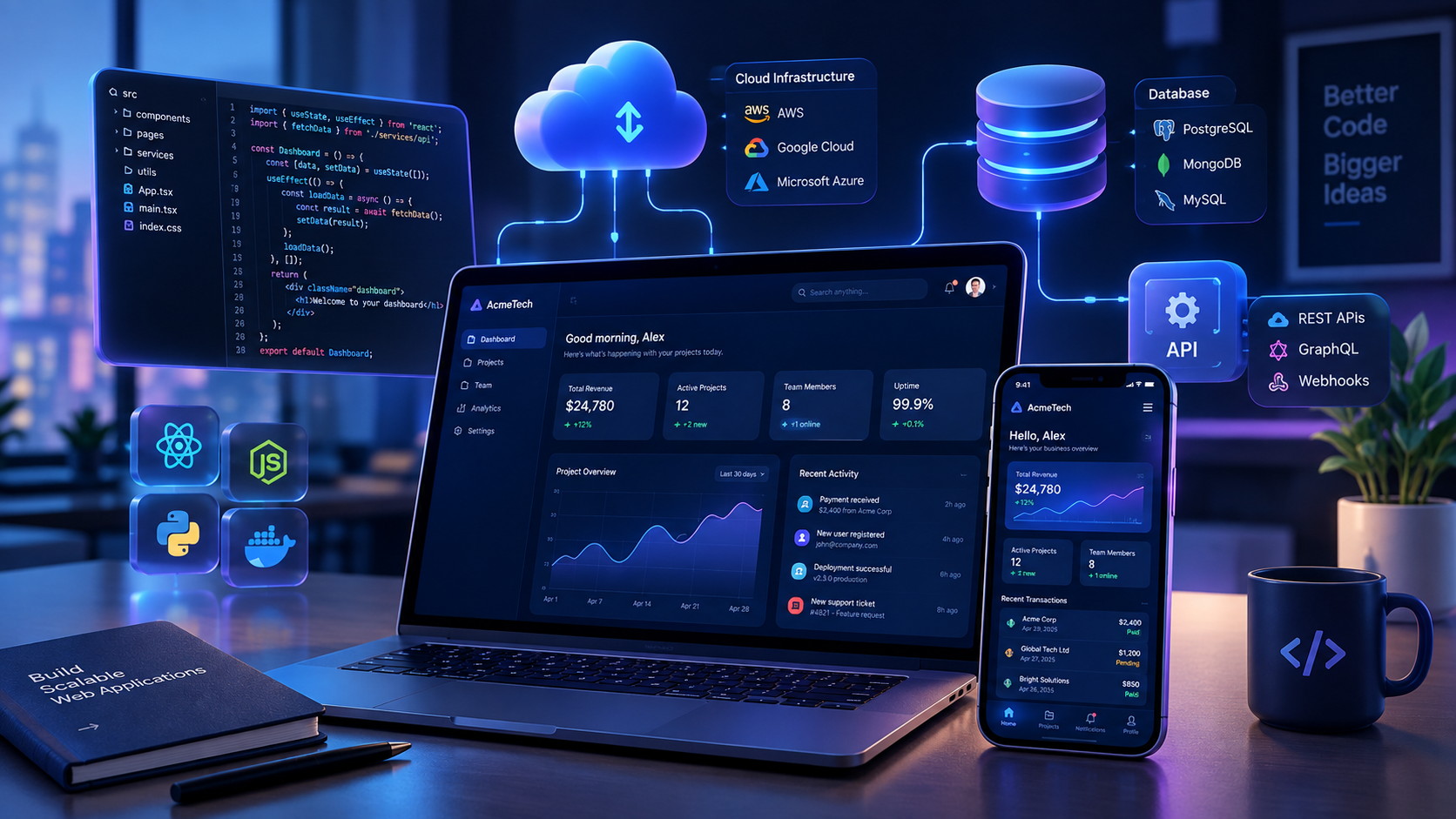
Web application development is transforming how businesses operate, serve customers, and manage digital processes in 2026. From SaaS platforms and e-commerce systems to financial dashboards and AI-powered tools, web applications enable users to access powerful software through a web browser. This guide explains what web application development is, how it works, the technologies involved, its benefits for businesses, development costs, and the steps to build a successful web application.
Web application development has become an essential part of modern digital transformation. Businesses no longer rely only on traditional websites to present information. They increasingly need interactive software that helps customers perform tasks, employees manage operations, and business owners make better decisions.
From online banking portals and e-commerce platforms to SaaS products, financial dashboards, and AI-powered business tools, web applications are changing how people interact with digital services.
But what exactly is web application development? How does it work, what technologies are used, and how much does it cost to build a web application in 2026?
This guide answers these questions and explains what businesses and founders should know before investing in web application development.
What Is Web Application Development?
Web application development is the process of designing, building, testing, deploying, and maintaining software applications that users access through a web browser.
Unlike a basic website that primarily provides information, a web application allows users to interact with data, complete tasks, and use specific business functionalities.
For example, a company website may describe a business's services, while a custom web application could allow customers to:
- Create and manage accounts.
- Submit orders or applications.
- Make payments.
- Track transactions.
- Upload documents.
- Generate reports.
- Manage subscriptions.
- Communicate with support teams.
A web application typically consists of a frontend, backend, database, and supporting services. These components work together to deliver an interactive digital experience.
The purpose of web application development is to solve a particular problem, improve efficiency, automate processes, or provide a valuable digital service.
Website vs. Web Application: What Is the Difference?
Although the terms website and web application are often used interchangeably, they generally serve different purposes.
| Feature | Website | Web Application | |---|---|---| | Primary purpose | Provide information and content | Enable users to perform tasks | | User interaction | Browsing, reading, and basic forms | Dashboards, workflows, and personalized actions | | User accounts | Optional | Often important | | Data processing | May be relatively simple | Often involves substantial business logic | | Examples | Blog, portfolio, company website | Banking portal, SaaS platform, booking system | | Development complexity | Can range from simple to advanced | Often requires application architecture and backend services |
The distinction is not absolute. Modern websites can include interactive features, and many businesses combine informational pages with web application functionality.
For example, an online store may contain product pages, a shopping cart, customer accounts, checkout, payment processing, and order management. Some parts of the store function as a web application.
The key difference is what users can do, not just how the website looks.
How Do Web Applications Work?
A typical web application works through communication between a user's browser, a server, a database, and other supporting services.
Here is a simplified explanation of the process.
1. The user interacts with the frontend
The frontend is the part of the application that users see and interact with.
It includes:
- Buttons.
- Forms.
- Navigation menus.
- Dashboards.
- Tables.
- Charts.
- Login screens.
- Notifications.
Frontend technologies commonly include HTML, CSS, and JavaScript. Developers may also use frameworks such as React, Vue, Angular, or other suitable tools.
2. The browser sends a request
When a user logs in, submits a form, requests a report, or performs another action, the browser may send a request to the backend through HTTP or HTTPS.
For example, when a customer clicks "View Transactions," the browser requests the relevant transaction data from the application server.
3. The backend processes the request
The backend handles the application's business logic.
Depending on the request, it may:
- Authenticate the user.
- Validate submitted information.
- Check permissions.
- Retrieve data.
- Calculate prices.
- Process an authorized transaction.
- Communicate with external services.
- Return a successful response or error message.
Backend technologies include Python, JavaScript, TypeScript, Java, PHP, C#, Go, and others.
4. The database stores and retrieves information
Many web applications require a database to store information such as:
- Customer records.
- Products.
- Invoices.
- Transactions.
- User accounts.
- Messages.
- Application settings.
Common database technologies include PostgreSQL, MySQL, MariaDB, MongoDB, and Redis for selected caching and data access use cases.
5. The application returns a response
The backend sends a response to the browser. The frontend then updates the interface, displays the requested information, or informs the user that an action has succeeded or failed.
This process happens repeatedly as users interact with the application.
Main Types of Web Applications
Web applications can be developed for different industries, business models, and user needs.
1. Business Management Applications
Business management applications help companies organize and automate daily operations.
Examples include:
- Inventory management systems.
- Customer relationship management platforms.
- Employee management systems.
- Accounting applications.
- Financial reporting tools.
- Workflow automation systems.
A business management application can centralize information and reduce dependence on scattered spreadsheets and manual procedures.
2. E-commerce Web Applications
E-commerce applications enable businesses to sell products or services online.
Common features include:
- Product catalogs.
- Shopping carts.
- Customer accounts.
- Checkout.
- Payment integration.
- Order management.
- Inventory tracking.
- Delivery updates.
An e-commerce web application can connect customers, business owners, payment providers, and inventory systems in one digital workflow.
3. SaaS Applications
Software as a Service, or SaaS, applications deliver software functionality through the internet.
Users typically access these applications through a browser, often using a subscription or usage-based payment model.
Examples include:
- Project management tools.
- Accounting platforms.
- Email marketing systems.
- Customer support software.
- Collaboration tools.
- Financial management applications.
A SaaS web application may support multiple businesses or organizations while keeping their data and permissions appropriately separated.
4. Customer Portals
Customer portals provide users with secure access to information and services.
A customer portal may allow users to:
- View invoices.
- Download documents.
- Track orders.
- Submit support requests.
- Manage subscriptions.
- Update account information.
These applications can improve convenience by allowing customers to access services without relying entirely on phone calls or email.
5. Financial and Payment Applications
Financial web applications help users manage financial information or perform authorized financial activities.
Examples include:
- Expense tracking platforms.
- Invoicing systems.
- Payment dashboards.
- Transaction reconciliation tools.
- Financial reporting applications.
Applications that handle financial data require careful attention to authentication, authorization, data protection, audit trails, and security.
6. Learning Management Systems
Learning management systems, commonly called LMS platforms, allow organizations to deliver and manage educational content.
Typical features include:
- Student registration.
- Course management.
- Video and document lessons.
- Quizzes.
- Progress tracking.
- Instructor dashboards.
- Assessments.
7. Booking and Scheduling Applications
Booking applications help users reserve services, appointments, facilities, or other resources.
Examples include:
- Hotel booking systems.
- Appointment scheduling platforms.
- Event registration applications.
- Service reservation portals.
- Facility management systems.
Essential Components of a Modern Web Application
A reliable web application requires more than attractive screens. It needs a combination of software components that work together efficiently.
Frontend
The frontend provides the user interface and user experience.
It determines how users navigate the application, submit information, view results, and interact with features.
Common frontend technologies include:
- HTML for structure.
- CSS for styling and layout.
- JavaScript for browser-side behavior.
- React for component-based interfaces.
- Vue for flexible frontend development.
- Angular for structured application development.
- TypeScript for improved type safety in JavaScript-based projects.
Backend
The backend manages the application's logic, data processing, authentication, permissions, and communication with other services.
Popular backend technologies include:
- Python with Django, Flask, or FastAPI.
- JavaScript or TypeScript with Node.js.
- PHP with Laravel.
- Java with Spring Boot.
- C# with ASP.NET Core.
- Go with suitable web frameworks.
The best choice depends on the project's requirements, developer expertise, performance needs, integrations, and maintenance considerations.
Database
A database stores and organizes application information.
Relational databases such as PostgreSQL, MySQL, and MariaDB are commonly used when structured data and transactional consistency are important.
Document databases such as MongoDB may be suitable for certain data models.
Redis is frequently used for caching, temporary data, queues, and other use cases where fast data access is important.
APIs
An Application Programming Interface, or API, allows different software systems to communicate.
A web application may use APIs to connect with:
- Payment providers.
- Email services.
- SMS platforms.
- Accounting software.
- Maps and location services.
- Artificial intelligence models.
- External business systems.
APIs are especially useful when a business needs to connect its web application to existing tools.
Hosting and Infrastructure
A web application needs an environment where its frontend, backend, database, and supporting services can run.
Depending on the project, the infrastructure may include:
- Cloud servers.
- Managed databases.
- Object storage.
- Content delivery networks.
- Domain and DNS configuration.
- SSL/TLS certificates.
- Monitoring and logging systems.
- Backup and recovery mechanisms.
Cloud providers such as AWS, Microsoft Azure, and Google Cloud offer infrastructure and managed services for different application requirements.
Popular Web Application Development Technologies in 2026
There is no single technology stack that is suitable for every project. A good technology stack should match the application's purpose, complexity, budget, and expected growth.
Frontend Technologies
React
React is a JavaScript library for building interactive user interfaces. It is suitable for dashboards, SaaS platforms, e-commerce applications, and products that require reusable interface components.
Next.js
Next.js is a React framework that supports features such as routing, server rendering, and full stack application development.
It can be useful when a project needs both public-facing website pages and interactive application functionality.
Vue.js
Vue.js is a progressive JavaScript framework known for its flexible development model and approachable learning curve.
It can be used to build interfaces ranging from small interactive components to larger web applications.
Angular
Angular is a comprehensive framework for building structured web applications.
It can be suitable for projects that benefit from established conventions, integrated development tools, and a consistent architecture.
Backend Technologies
Python
Python is a versatile programming language used for web development, automation, data processing, and artificial intelligence.
Popular Python web frameworks include:
- Django.
- Flask.
- FastAPI.
Node.js
Node.js allows developers to build backend services using JavaScript or TypeScript.
It is commonly used for APIs, real time applications, and web services.
PHP
PHP is a server-side programming language used in many websites, content management systems, and web applications.
Laravel is a popular PHP framework for building modern web applications.
Java and Spring Boot
Java and Spring Boot are frequently used for enterprise applications, APIs, and systems that require structured architecture and extensive integration capabilities.
C# and ASP.NET Core
ASP.NET Core is a framework for building web applications and APIs using C#.
It is suitable for business applications, enterprise systems, and services that need to run across different operating systems.
Supporting Technologies
Modern development projects may also use:
- Docker for packaging applications and creating consistent environments.
- Git and GitHub for version control and collaboration.
- Redis for caching and selected real time application needs.
- Background task systems for asynchronous processing.
- Automated testing tools for improving reliability.
- CI/CD pipelines for automating testing and deployment.
- Cloud hosting platforms for application infrastructure.
The most suitable stack is the one that meets the business requirements without introducing unnecessary complexity.
Step by Step: How Web Application Development Works
Developing a web application requires more than writing code. A successful project involves planning, design, implementation, testing, deployment, and maintenance.
Step 1: Identify the Business Problem
Before choosing a framework or designing a dashboard, define what the application needs to achieve.
Ask questions such as:
- What problem will the application solve?
- Who will use it?
- What tasks should users be able to perform?
- Which processes are currently manual?
- What existing tools need to be integrated?
- What would success look like after launch?
For example, a business struggling with manual financial reconciliation might need an application that imports transactions, categorizes expenses, generates reports, and simplifies financial monitoring.
A clear problem definition helps prevent unnecessary features and wasted development resources.
Step 2: Gather and Document Requirements
The next stage involves translating business needs into functional and technical requirements.
Functional requirements describe what the application must do.
Examples include:
- Users must be able to register and log in.
- Administrators must manage user accounts.
- Customers must be able to submit orders.
- The system must generate reports.
- Users must receive notifications after specific actions.
Nonfunctional requirements describe how the application should operate.
Examples include:
- Security.
- Performance.
- Availability.
- Accessibility.
- Scalability.
- Maintainability.
- Data privacy.
Requirements should be documented clearly so that business owners, designers, and developers share the same expectations.
Step 3: Plan the Application Architecture
Application architecture defines how the different parts of the system communicate and work together.
A simple application may use a single backend, a database, and a frontend.
A larger system may involve multiple services, background workers, external APIs, queues, and specialized infrastructure.
At this stage, developers consider:
- Frontend and backend structure.
- Database design.
- API design.
- Authentication and authorization.
- Hosting requirements.
- Data flow.
- Backup and recovery.
- Expected traffic.
- Integration requirements.
The architecture should be appropriate for the current project while allowing reasonable future growth.
Step 4: Design the User Experience and Interface
A well-designed application should be easy to understand and use.
Designers may create:
- User flows.
- Wireframes.
- Prototypes.
- High-fidelity interface designs.
- Mobile and desktop layouts.
- Design systems.
- Accessibility guidelines.
For example, a financial dashboard should make important information easy to find. Users should be able to understand balances, transactions, reports, and alerts without navigating through confusing screens.
Good design is not just about appearance. It reduces friction and helps users complete tasks efficiently.
Step 5: Develop the Frontend
Frontend developers translate approved designs into working interfaces.
They build:
- Screens.
- Navigation.
- Forms.
- Tables.
- Charts.
- Buttons.
- Interactive components.
The frontend also communicates with backend APIs to retrieve and submit information.
A responsive frontend should adapt to different screen sizes where appropriate, including desktop computers, tablets, and smartphones.
Step 6: Develop the Backend
Backend developers implement the logic that makes the application function.
This may include:
- User registration and login.
- Role-based permissions.
- Data validation.
- Business rules.
- Database operations.
- Payment processing.
- Report generation.
- Notifications.
- API endpoints.
- Background tasks.
For example, in an inventory application, the backend may verify stock availability, update inventory after a confirmed order, and record the transaction.
Step 7: Connect the Database and External Services
The application is connected to its database and any required third-party services.
Depending on the project, integrations may include:
- Payment gateways.
- Email providers.
- SMS services.
- Cloud storage.
- Accounting systems.
- CRM platforms.
- AI services.
- Analytics tools.
Integration work requires careful handling of authentication credentials, error responses, data validation, and service availability.
Step 8: Test the Application
Testing helps identify defects before users depend on the application.
Common forms of testing include:
Unit testing: Tests individual functions or components.
Integration testing: Checks whether different parts of the application work correctly together.
End-to-end testing: Simulates complete user workflows, such as registering, placing an order, and receiving confirmation.
Security testing: Looks for weaknesses such as improper access controls, insecure input handling, and authentication problems.
Performance testing: Evaluates how the application behaves under expected or simulated workloads.
Usability testing: Examines whether users can understand and complete important tasks.
Testing should continue throughout development rather than being postponed until the final stage.
Step 9: Deploy the Application
Deployment makes the application available in its intended environment.
A typical deployment may involve:
- Configuring the hosting environment.
- Setting up the database.
- Configuring environment variables and secrets.
- Building the frontend and backend.
- Applying database migrations.
- Configuring the domain and HTTPS.
- Running production tests.
- Enabling monitoring and logging.
Applications can be deployed to cloud infrastructure, managed hosting platforms, private servers, or other suitable environments.
Step 10: Maintain and Improve the Application
Web application development does not end when the product goes live.
Ongoing maintenance may include:
- Fixing bugs.
- Applying security updates.
- Monitoring performance.
- Improving user experience.
- Updating dependencies.
- Managing backups.
- Adding new features.
- Scaling infrastructure.
- Reviewing application logs.
A maintenance plan helps protect the application's reliability and long-term value.
What Are the Benefits of Web Application Development for Businesses?
A custom web application can provide significant operational and commercial benefits when it addresses a genuine business need.
1. Improved Business Efficiency
Many businesses still depend on spreadsheets, paper records, email threads, and repetitive manual tasks.
A web application can centralize information and automate selected processes.
For example, instead of manually compiling sales reports every week, a business could use an application that collects transaction data and generates reports automatically.
This can reduce repetitive work and allow employees to focus on more valuable activities.
2. Centralized Data Management
When business information is scattered across multiple systems, it can become difficult to maintain accurate records.
A web application can provide a central platform for managing customers, products, invoices, transactions, or other business data.
Centralization can improve visibility and make it easier for authorized users to access relevant information.
3. Accessibility Across Devices
Users can often access web applications through supported browsers without installing a dedicated desktop application.
This can make it easier for distributed teams, customers, and business owners to use the system from different locations and devices.
Access still depends on factors such as connectivity, browser support, device compatibility, and the application's design.
4. Customization for Specific Business Needs
Off-the-shelf software may include features a business does not need or lack features that are essential to its workflow.
Custom web application development allows a company to build functionality around its own processes.
For example, a logistics company may need a delivery tracking workflow that is different from the features offered by a generic inventory system.
5. Integration with Existing Tools
A web application can connect multiple services through APIs and other integration methods.
This may help businesses reduce duplicate data entry and improve the flow of information between systems.
For example, an e-commerce application could connect its order management system to payment processing, inventory management, and customer notifications.
6. Better Customer Experience
A well-designed web application can make services easier to access.
Customers may be able to manage their accounts, check order status, make payments, download documents, or request support without contacting an employee for every task.
Convenience and clarity can contribute to a better customer experience.
7. Business Scalability
A properly designed web application can support business growth through appropriate architecture, infrastructure, and database design.
As usage increases, developers may improve database queries, introduce caching, optimize application logic, or increase infrastructure capacity.
Scalability is not automatic. It requires planning, monitoring, and technical investment.
8. Improved Decision-Making
Applications can collect and organize operational data into dashboards and reports.
Business owners may use this information to understand sales, customer behavior, expenses, inventory, and other performance indicators.
Reliable data can support better-informed business decisions.
Web Application Development Trends in 2026
Web development continues to evolve as businesses demand faster, more secure, and more intelligent digital products.
The following trends are relevant when planning a web application in 2026.
1. Artificial Intelligence Integration
Artificial intelligence is increasingly being incorporated into business applications.
Possible use cases include:
- AI-powered customer support.
- Document processing.
- Automated data extraction.
- Intelligent search.
- Content generation.
- Predictive analytics.
- Personalized recommendations.
- Workflow automation.
- AI assistants for employees.
For example, a financial management application could use AI to help categorize expenses or extract information from uploaded documents.
However, AI features should be introduced based on a real business need. Developers must also consider accuracy, privacy, security, cost, and human oversight.
2. AI-Assisted Software Development
Developers increasingly use AI coding assistants to help with tasks such as:
- Generating code drafts.
- Explaining errors.
- Writing tests.
- Documenting functions.
- Exploring implementation approaches.
- Reviewing selected code.
These tools can improve certain parts of the development workflow, but they do not eliminate the need for software architecture, code review, testing, security checks, and experienced engineering judgment.
3. Progressive Web Applications
Progressive web applications, or PWAs, use web technologies to provide experiences that can include installation, offline functionality, and enhanced interaction, depending on browser and operating system support.
PWAs may be useful for businesses that want a web-based product with selected app-like capabilities without building separate native applications for every platform.
Not every project needs PWA functionality. The decision should depend on the target audience, device requirements, and expected user experience.
4. API-First Development
API-first development emphasizes designing and documenting application interfaces as a central part of the development process.
This approach can help when a product needs to support multiple clients, such as:
- A web frontend.
- A mobile application.
- Partner integrations.
- Internal services.
Well-designed APIs can improve interoperability and simplify future integrations.
5. Cloud-Native Architecture
Cloud-native development involves designing applications to use cloud infrastructure and services effectively.
Depending on the project, this may include:
- Containers.
- Managed databases.
- Serverless services.
- Automated deployment.
- Monitoring.
- Elastic infrastructure.
Cloud-native architecture can provide flexibility, but it may also introduce additional operational complexity. A simple application does not necessarily need a complex cloud architecture.
6. Stronger Security and Privacy Practices
Security remains an essential part of web application development.
Businesses are paying close attention to:
- Secure authentication.
- Access control.
- Data protection.
- Dependency management.
- Vulnerability monitoring.
- Privacy requirements.
- Security testing.
Security should be considered from the planning stage rather than treated as an afterthought.
7. Better Performance and Accessibility
Users expect applications to load efficiently and remain responsive.
Developers are focusing on:
- Optimized frontend assets.
- Efficient database queries.
- Caching.
- Responsive interfaces.
- Reduced unnecessary network requests.
- Accessible forms and navigation.
- Mobile-friendly experiences.
Performance and accessibility improvements can benefit both users and business operations.
How Much Does Web Application Development Cost in 2026?
The cost of developing a web application depends on the scope, features, design requirements, technical architecture, integrations, security needs, and development team.
There is no universal price for a web application.
A simple internal tool may require substantially less work than a multi-tenant SaaS platform, financial application, or marketplace with complex workflows.
Factors That Influence Development Cost
1. Application Complexity
A basic application with a few forms and a simple dashboard will generally require less development work than a system with advanced workflows, multiple user roles, real-time functionality, and complex business logic.
2. Number of Features
Features such as payment processing, notifications, reporting, file uploads, AI functionality, and third-party integrations can increase development time.
3. User Interface Design
A project with a simple interface may cost less than one requiring extensive UX research, custom illustrations, animations, and multiple responsive layouts.
4. Backend and Database Requirements
Complex data relationships, advanced reporting, high traffic, and strict consistency requirements may require additional engineering.
5. Security and Compliance
Applications handling sensitive information or financial transactions may need additional security controls, testing, audit logging, and compliance-related work.
6. Development Team
The total cost can vary depending on whether the project is built by a freelancer, a small development team, an agency, or an internal engineering department.
7. Maintenance and Hosting
The initial development budget should be considered separately from recurring expenses such as hosting, domain registration, monitoring, backups, software subscriptions, and ongoing maintenance.
Illustrative Development Budget Categories
The following categories are general planning examples, not verified market prices or fixed quotations.
| Project Type | Typical Scope | |---|---| | Basic web application | Simple forms, user accounts, and limited data management | | Small business application | Dashboard, database, business workflows, and selected integrations | | Medium-complexity application | Multiple roles, reporting, advanced workflows, and external services | | Complex SaaS or enterprise application | Multi-tenant architecture, extensive integrations, advanced security, and scalability requirements |
For an accurate estimate, a development team should first review the requirements, define the minimum viable product, and divide the work into clear deliverables.
What Is an MVP in Web Application Development?
An MVP, or Minimum Viable Product, is an initial version of an application that includes the essential features needed to test a business idea or solve a specific user problem.
Instead of building every planned feature immediately, a business can start with a smaller, useful product.
For example, a business planning to build a complete accounting platform might begin with an MVP that includes:
- User registration.
- Transaction recording.
- Basic categorization.
- Simple financial reports.
- A secure dashboard.
Additional functionality can be introduced after gathering feedback and learning how users interact with the product.
Why Build an MVP?
An MVP can help a business:
- Validate demand.
- Collect user feedback.
- Reduce initial development scope.
- Identify important usability problems.
- Test pricing or business assumptions.
- Prioritize future features.
- Avoid investing heavily in unproven functionality.
An MVP should not be confused with a poorly built product. It should be focused, functional, secure enough for its intended use, and capable of delivering its stated purpose.
Security Best Practices for Web Applications
Security is a critical requirement for any web application that handles user accounts, business data, payments, or sensitive information.
Developers should consider security throughout the application lifecycle.
Use Secure Authentication
Applications should use appropriate authentication methods, secure password storage, and properly managed sessions.
Where suitable, developers may implement multi-factor authentication and other additional safeguards.
Apply Authorization Controls
Authentication confirms who a user is. Authorization determines what that user is allowed to do.
For example, a regular employee should not automatically have access to administrative functions or another customer's private records.
Validate and Handle Input Safely
User-submitted information should be validated on the server and handled safely.
This helps reduce the risk of problems such as injection attacks, malformed data, and unexpected application behavior.
Protect Sensitive Information
Sensitive information should be protected during transmission and storage.
Developers should use HTTPS, appropriate encryption practices, secure secret management, and carefully designed access controls.
Keep Dependencies Updated
Outdated libraries and frameworks may contain known vulnerabilities.
Regular dependency reviews and security updates can help reduce avoidable risks.
Implement Backups and Recovery Procedures
A reliable backup strategy helps businesses recover from accidental deletion, system failures, or certain security incidents.
Backups should be tested periodically rather than assumed to work.
Monitor Application Activity
Logging and monitoring can help identify unusual behavior, errors, failed login attempts, and performance problems.
Monitoring should be designed carefully so that sensitive information is not unnecessarily exposed in logs.
Common Mistakes Businesses Make When Building Web Applications
1. Starting Development Without Clear Requirements
When the business goal is unclear, development may become a cycle of changing features and increasing costs.
Solution: Define the problem, users, core features, and expected outcomes before development begins.
2. Trying to Build Everything at Once
Adding too many features to the first release can delay launch and make the application difficult to maintain.
Solution: Prioritize essential functionality and consider an MVP.
3. Choosing Technology Based Only on Popularity
A popular framework is not automatically the right choice for every project.
Solution: Select technologies based on project requirements, available expertise, maintainability, performance, and budget.
4. Ignoring the User Experience
An application may be technically functional but difficult to navigate.
Solution: Invest in user flows, interface design, usability testing, and accessibility.
5. Treating Security as an Afterthought
Security problems can lead to data exposure, financial losses, service interruptions, and reputational damage.
Solution: Include security requirements and testing from the beginning.
6. Failing to Plan for Maintenance
Applications need updates, bug fixes, monitoring, and improvements after launch.
Solution: Establish a maintenance plan and budget for ongoing technical support.
7. Ignoring Performance
Slow pages, inefficient queries, and poorly designed workflows can frustrate users.
Solution: Monitor performance, optimize important operations, and test the application under realistic conditions.
8. Building Without a Clear Ownership Plan
A business may launch an application without knowing who will maintain the code, hosting, accounts, and infrastructure.
Solution: Establish ownership, documentation, access management, deployment procedures, and support responsibilities before launch.
How to Choose a Web Application Development Company
Selecting a development partner is an important decision because the quality of the development process can affect the application's long-term success.
Consider the following factors.
Technical Experience
Review whether the development team has experience with the technologies and application type required for your project.
For example, a business building a payment platform may need developers with experience in backend systems, security, integrations, and financial workflows.
Relevant Portfolio
Look for previous projects that demonstrate the team's ability to solve similar problems.
A portfolio should show more than visual design. It should provide insight into functionality, architecture, usability, and the types of businesses served.
Communication Process
A clear communication process helps prevent misunderstandings about requirements, timelines, deliverables, and revisions.
Ask how progress will be reported and how feedback will be handled.
Development Methodology
Understand how the team approaches planning, implementation, testing, and deployment.
An iterative approach can be useful when requirements may evolve based on user feedback.
Security Practices
Ask how the team handles authentication, authorization, data protection, testing, secrets, backups, and deployment security.
Ownership and Documentation
Clarify who owns the source code, design files, infrastructure accounts, domain, and other project assets.
Ensure that the final deliverables include sufficient documentation for future maintenance.
Post-Launch Support
Ask whether the team provides bug fixes, maintenance, monitoring, updates, and technical support after the initial launch.
Why Choose Zeecomedia for Web Application Development?
At Zeecomedia, we help businesses turn ideas, operational challenges, and digital opportunities into practical software solutions.
Our approach focuses on understanding the business problem before selecting the technology and development strategy.
Depending on the project, our services can include:
- Custom web application development.
- Business process automation.
- SaaS product development.
- Backend and API development.
- Database-driven applications.
- E-commerce systems.
- AI-powered software solutions.
- Website and web application integration.
- Technical consultation.
- Ongoing improvements and maintenance.
We understand that every business has different requirements. A small business may need a focused internal tool, while a growing company may require a scalable SaaS platform or a customized customer portal.
The objective is to build software that supports your workflow, improves customer experience, and creates a foundation for future growth.
To explore our software development services, visit Zeecomedia.
Frequently Asked Questions About Web Application Development
What Is Web Application Development in Simple Terms?
Web application development is the process of building interactive software that people can access through a web browser. It allows users to perform tasks such as managing accounts, submitting information, processing orders, and viewing personalized data.
Is Web Application Development the Same as Website Development?
Not exactly. Website development often focuses on presenting information, while web application development focuses on interactive functionality and business processes. However, modern websites and web applications can overlap.
Can a Web Application Work on a Mobile Phone?
Yes. Many web applications are designed to work on mobile browsers using responsive layouts. Some can also support progressive web application features, depending on the browser and operating system.
How Long Does It Take to Build a Web Application?
The timeline depends on the application's complexity, number of features, design requirements, integrations, testing, and development resources.
A simple application may take considerably less time than a complex SaaS platform or enterprise system.
A reliable timeline should be based on documented requirements and a defined scope.
Should I Build a Custom Web Application or Use Existing Software?
Existing software may be suitable when it already provides the features and workflows your business needs.
Custom development may be appropriate when you need specialized functionality, unique workflows, integrations, or greater control over the product.
The right choice depends on cost, flexibility, maintenance, business requirements, and long-term goals.
Can AI Be Integrated into a Web Application?
Yes. AI can be integrated into web applications for tasks such as document processing, intelligent search, customer support, recommendations, automation, and content generation.
The implementation should consider accuracy, data privacy, security, operational cost, and user oversight.
Is Web Application Development Expensive?
Costs vary widely. The total depends on the application's scope, features, design, technology, integrations, security requirements, and development team.
A focused MVP can help businesses begin with a smaller scope before investing in more advanced functionality.
Conclusion
Web application development is an important part of modern digital transformation. It enables businesses to create interactive software that improves workflows, manages data, supports customers, and delivers services through web browsers.
From business dashboards and e-commerce platforms to SaaS products, financial tools, and AI-powered applications, web applications can support many different business goals.
The most successful projects begin with a clear problem, realistic requirements, appropriate technology, thoughtful design, strong security, and a plan for ongoing maintenance.
If you are planning to build a custom web application in 2026, start by identifying the problem you want to solve and the users you want to serve. Then work with a development team to define the core features, establish the scope, and create a practical roadmap for development.
Ready to turn your software idea into a working web application?
Visit Zeecomedia to explore custom software development and digital transformation services for your business.